

Car Touchscreen Not Responding? Screen, Input or Phone?
In-car controls
A car screen can keep showing a picture after its touch controls stop responding. It can also go blank, freeze completely, lose a camera image or disconnect from a phone while the car’s own menus still work. Those are different complaints. Identifying which function stopped is more useful than trying a succession of resets or assuming the complete display needs replacement.
Updated October 16, 2026
Check the response while parked
Start with the vehicle stationary. Does the displayed information still change? Do normal taps select anything? Do a physical volume knob, Home button or steering-wheel audio control still respond? Note those separately; sound from the speakers does not establish that the touchscreen is accepting input.
Also distinguish an unavailable menu item from an unresponsive panel. The 2021 gasoline Honda CR-V manual, for models with Display Audio, says some items are grayed out during driving to reduce distraction. It also warns that gloves may limit or prevent touch response. Those details explain why an intentional menu restriction or a glove-related input problem should not be described as the entire system freezing.
| Observed behavior | What to distinguish |
|---|---|
| Picture changes, but taps do nothing | Touch input versus the displayed image and physical controls |
| Everything on the display stays frozen | A stopped interface versus one unavailable menu or app |
| Camera image missing, other menus work | The camera-image path versus the complete display |
| CarPlay drops, native menus still respond | The phone connection versus the vehicle’s own interface |
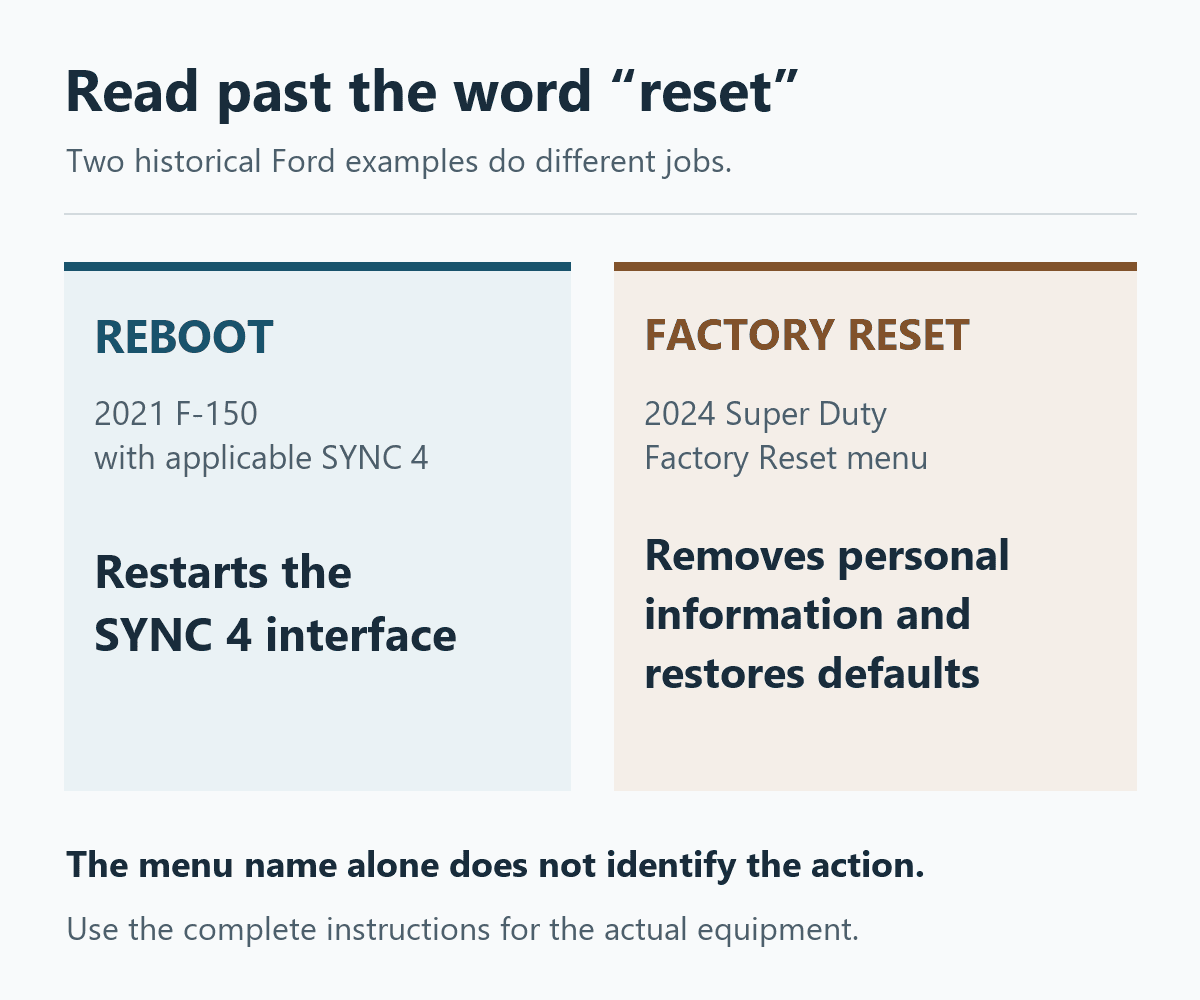
A reboot and a factory reset are different actions
Use a restart procedure matched to the actual vehicle and infotainment version, while parked. Ford’s historical SSM 49625 covers certain 2021 Mustang Mach-E, F-150, Edge and Lincoln Nautilus vehicles with SYNC 4. For equipment with both volume/power and right-seek buttons, it describes holding those two buttons for 10 seconds to reboot SYNC. That is a specific equipment example, not a command for every Ford or an aftermarket stereo.
Do not rely on a menu label alone. In the 2024 Super Duty manual, “Performing a System Reset” leads to a Factory Reset that removes personal information and restores default settings. Erasing settings is a different decision from restarting an unresponsive interface. Avoid substituting battery disconnection, fuse removal or unofficial software flashing for the documented procedure.
Separate phone projection from the car’s menus
If native controls work and only CarPlay fails, examine that connection before treating the panel as defective. Apple’s troubleshooting guidance separates wired cable and USB checks from wireless Bluetooth, Wi-Fi and Auto-Join settings. It also distinguishes current iPhone software from the stereo manufacturer’s firmware.
Our wired and wireless CarPlay troubleshooting guide develops those connection checks. It is the more relevant branch when phone projection disappears while the vehicle’s own interface continues responding; it does not diagnose a blank display or failed touch input.
What a useful diagnosis establishes
Mazda’s September 2021 Mazda Connect service alert illustrates why “replace the screen” is not a complete diagnosis. For its listed 2019–2021 Mazda3, 2020–2021 CX-30 and 2021 CX-5/CX-9 models, it separates blank-screen, rear-camera, rebooting and physical-controller concerns. Its workshop paths consider stored faults, installed software, connected devices, wiring, the display and the connectivity module.
Those checks require the applicable technical instructions and equipment, rather than owner disassembly. For an intermittent failure, a dated photo taken while parked and the installed software version help preserve what actually happened before a restart changes the symptom. If a documented reboot restores operation, note whether the original problem returns. Temporary recovery records a result; it does not establish a permanent software repair or rule out a hardware fault.
0 comment(s) so far on Car Touchscreen Not Responding? Screen, Input or Phone?