

Backup Camera Not Working? Image, Screen and Guidelines
Rear visibility
Updated October 16, 2026
A backup-camera problem is easier to describe when you separate the rear image, the screen and the guidelines. A cloudy view, a missing picture and a missing overlay are different observations. None identifies a failed component by itself. Start with what changed and the instructions for the vehicle’s exact equipment.
Separate an obstructed view from a missing image
The 2021 gasoline CR-V manual says dirt or moisture on the lens can restrict the view and specifies a soft, moist cloth for cleaning it. Weather, lighting and high temperatures can also limit the displayed view. Follow the matching manual’s exterior-cleaning instructions while safely parked; do not remove trim or spray electrical connections.
A black screen, an error message or an infotainment menu covering the image is a different complaint. Describe what remains visible, including any warning text. Whether other display functions worked during ordinary use is useful context, but it does not prove which camera, display or control component caused the problem.
Guidelines and display timing have their own rules
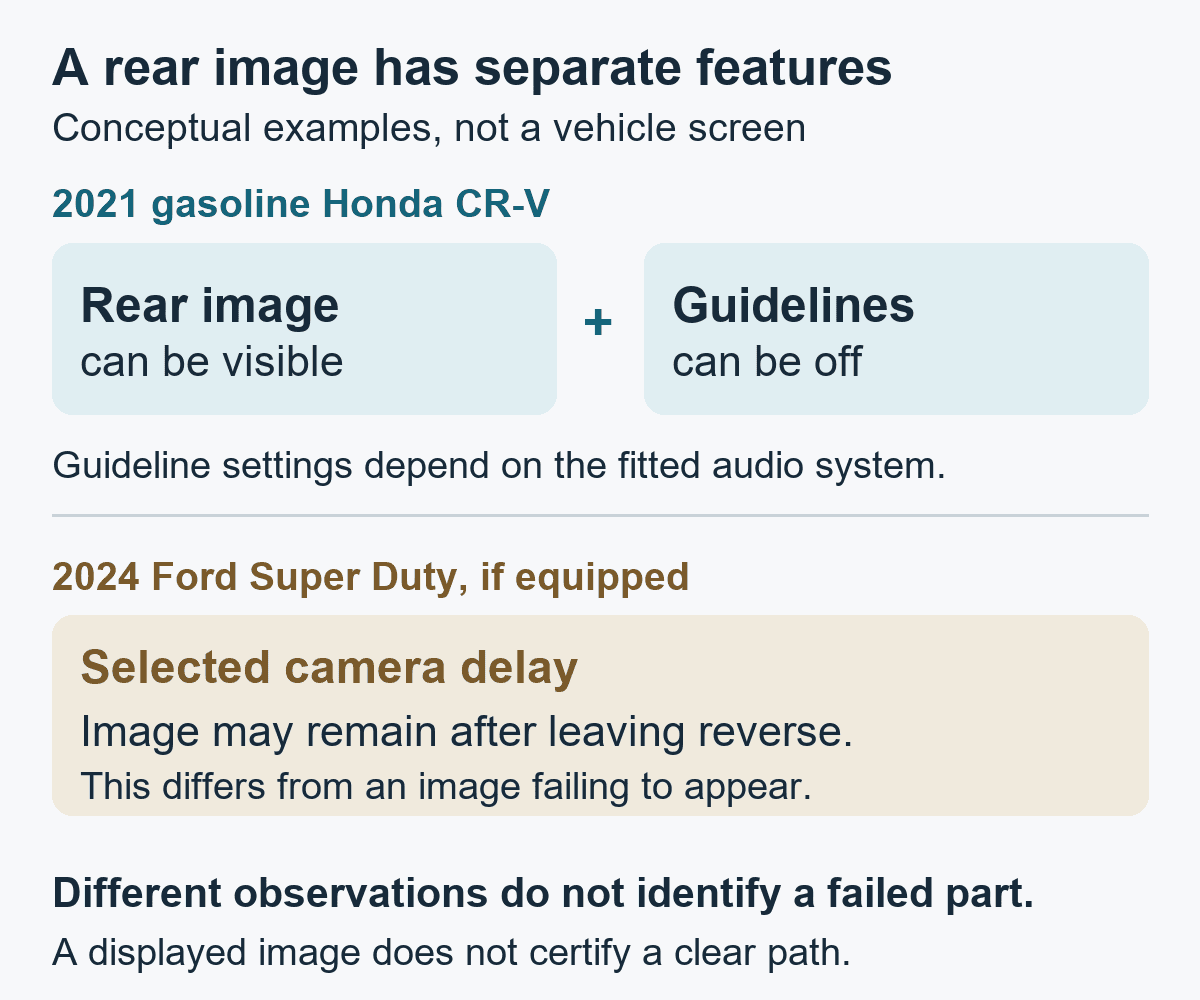
On that CR-V, guideline settings differ with the fitted audio system. The manual distinguishes fixed and moving guidelines on Display Audio models and permits them to be switched off. Missing or stationary lines therefore need to be compared with the applicable settings before being called a camera failure.
The 2024 Super Duty manual supplies another specific example: an ajar tailgate puts its rear camera out of position, can make the image incorrect and removes all guidelines. Its optional camera-delay setting can also retain the image after leaving reverse, until the specified conditions end that display. That retained image is different from a camera failing to appear when required. These instructions do not describe every truck or aftermarket camera.
| What changed | Distinction to establish |
|---|---|
| Cloudy or partly blocked rear view | External lens/view limitation versus an absent image |
| Missing or stationary guidelines | Applicable settings and operating conditions versus a reported fault |
| Image stays on after leaving reverse | A documented delay feature versus an unexplained display problem |
A software explanation needs exact evidence
Software can affect rear visibility, but “needs an update” is not a diagnosis for every blank screen. NHTSA’s record for Ford recall 26C37, campaign 26V489000, describes certain 2021–2023 F-150 and 2023–2026 F-250 SD vehicles with 8-inch SYNC screens. A software error can let the home-screen menu obstruct the rear image. The retained official record, checked October 16, 2026, identifies an APIM software remedy.
That is evidence for a particular campaign, not a universal reset or proof that a matching model is affected. Have the exact VIN and campaign status checked. Individual eligibility, update availability and a documented completed repair are separate questions.
Describe the concern without staging a reversing test
Save the exact message and observations already encountered: weather, whether the picture or only the lines disappeared, and any recent tailgate, collision, camera or display work. Review settings while parked. Do not place a person or object behind the vehicle to test detection, recreate the concern in traffic or dismantle the camera to investigate it.
Both manuals describe limited camera coverage, including areas near or beneath the bumper that may remain unseen. A working picture does not certify a clear path, and an unresolved camera concern does not establish that reversing is safe. Arrange assessment of a recurring or missing view and ask for the confirmed finding and applicable repair procedure, rather than choosing a part from the screen’s color.
0 comment(s) so far on Backup Camera Not Working? Image, Screen and Guidelines